Walking Pads
Browse HCOIW walking pads for home and office use. Compare compact
under-desk models, manual-incline designs and walking treadmills with
handlebars, remote controls and LED displays. Specifications and
available features vary by model.
Showing all 4 results
Showing all 4 results
Compare HCOIW Walking Pads
HCOIW walking pads provide a compact way to add indoor walking to a
home, apartment or office. Compared with a traditional full-size
treadmill, their lower-profile design can make placement, movement and
storage easier in rooms where floor space is limited.
Available HCOIW configurations may include manual incline settings,
a handlebar, wireless remote control, LED workout information and a
cushioned walking surface. Dimensions, incline levels, speed ranges
and maximum user capacities vary, so always compare the specifications
shown for the individual model.
HCOIW Walking Pad Features
Manual Incline Options
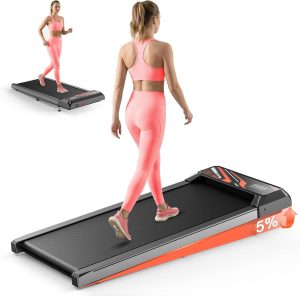
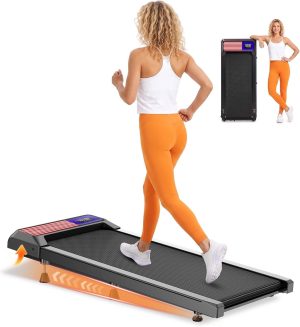
Selected HCOIW walking pads use incline feet or adjustable foot pads
to create an elevated walking surface. Available models include
different manual incline configurations, so check the listed incline
level and adjustment method before choosing.
Under-Desk Walking
A compact HCOIW under-desk treadmill can be used with a compatible
standing desk for lower-speed walking while working. Before ordering,
measure the available floor space and check the treadmill height,
desk clearance, power-cord position and intended storage location.
Models with a Handlebar
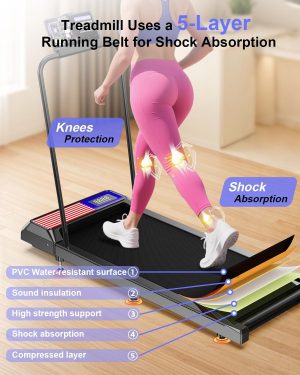
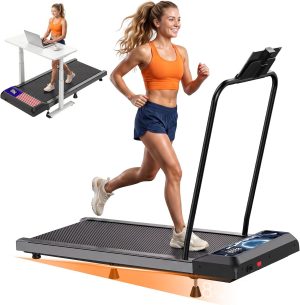
Selected HCOIW walking treadmills include a handlebar for an additional
point of support during dedicated exercise sessions. If you also plan
to use the treadmill under a desk, check whether the handlebar can be
removed or lowered on the specific model.
Remote Control and LED Display
Many HCOIW walking pads include a wireless remote for starting,
stopping and changing speed. Depending on the model, the LED display
may show speed, time, distance and estimated calories burned.
How to Choose an HCOIW Walking Pad
Consider where and how you intend to use the walking pad. A low-profile
model may be preferable for a standing desk, while a handlebar model
may be better suited to focused walking sessions. An incline model can
provide additional workout variety without requiring the footprint of
a conventional incline treadmill.
- Overall dimensions:
Measure the exercise and storage areas before ordering. - Speed range:
Choose settings suited to desk walking, everyday walking or light
jogging. - Incline configuration:
Check whether the walking pad is flat, fixed-incline or manually
adjustable. - Handlebar:
Decide whether additional support or a lower under-desk profile is
more important. - Weight capacity:
Never exceed the maximum user weight stated for the individual model. - Workout display:
Confirm which metrics are displayed if time, speed, distance or
calorie estimates are important to you.
Using a Walking Pad at Home or in the Office
Place the walking pad on a firm, level surface with sufficient clearance
around the machine. Wear suitable athletic footwear and begin at a slow,
comfortable speed. When walking beneath a standing desk, avoid tasks
that require intense concentration until you are comfortable maintaining
your balance and position.
A treadmill mat may help protect flooring and reduce vibration. Always
follow the safety, placement and operating instructions supplied with
the specific HCOIW model.
HCOIW Walking Pad Maintenance
Unplug the walking pad before cleaning or maintenance. Keep the belt
free of debris, inspect its alignment periodically and use only the
treadmill lubricant recommended by the product manual. If the belt
begins to slip or move sideways, stop using the machine and follow the
model-specific belt adjustment instructions.
Compare the current HCOIW walking pad selection to find a model suited
to your available space, preferred incline, handlebar requirements and
daily activity routine.